After Trying 12 Time-Tracking Apps, This One Finally Made My Days Feel Lighter
Have you ever finished a workday feeling busy all day—yet can’t point to what you actually accomplished? I’ve been there, drowning in to-do lists, meetings, and endless distractions. It wasn’t until I started experimenting with time-management tools that I began to see real change. This is not about perfection, but progress—about reclaiming small moments of clarity and control. Let me share how I went from overwhelmed to organized, one simple app at a time. It wasn’t magic. It wasn’t a radical life overhaul. It was just one small digital tool that quietly reshaped how I move through my days, helping me feel more like myself again.
The Breaking Point: When My Schedule Controlled Me
There was a week last winter when I hit my limit. I remember standing in the kitchen at 8:30 p.m., holding a frozen lasagna I’d forgotten to defrost, my laptop open on the counter with three unfinished work emails, and my phone buzzing with a reminder for my daughter’s school form due the next morning. My husband asked, ‘Did you call the plumber?’ and I just stared at him. Not because I didn’t love my life—because I did. But in that moment, I felt like I was failing at all of it. The truth was, I wasn’t lazy. I wasn’t uncommitted. I was simply spread too thin, reacting to everything, and in control of nothing.
My days blurred together—back-to-back Zoom calls, grocery runs squeezed between deadlines, bedtime stories read with half my mind still on a project deadline. I was always doing something, but never really present for anything. The guilt built slowly: guilt for not finishing work, guilt for missing moments with my kids, guilt for not taking better care of myself. I’d lie in bed at night, mentally replaying the day, trying to figure out where the time went. Was it really all meetings and chores? Or was there something else—something invisible—eating up my hours?
That’s when it hit me: I couldn’t manage what I couldn’t see. I had no idea how I was spending my time. I assumed I was working eight hours, but was I really focused? Was I taking breaks, or just switching between tasks without pause? I needed a mirror, not a to-do list. I needed a way to observe my days without judgment, to understand my rhythms instead of fighting them. That’s when I decided to try time tracking—not to become some productivity robot, but to find my way back to balance.
My First Fumbling Steps into Time Tracking
My first attempt was a paper planner—beautiful, with pastel sections for each day of the week. I filled it out every Sunday night with big, hopeful handwriting: ‘Meal prep,’ ‘Finish report,’ ‘Call Mom.’ By Wednesday, it was a mess. I’d forgotten to check it, scribbled over plans, or written things in the wrong box. It wasn’t the planner’s fault. It was just too rigid for the way my life actually unfolded. Life doesn’t follow a grid. My kids don’t care if it’s ‘laundry day’—they spill juice on the couch at 4 p.m. and suddenly that’s the priority.
Then I tried sticky notes. I covered my desk, my fridge, even the bathroom mirror. ‘Pay bills.’ ‘Schedule dentist.’ ‘Buy birthday gift.’ At first, it felt productive—like I was capturing everything. But soon, the notes became noise. I’d look at them and feel overwhelmed instead of helped. Plus, they didn’t tell me anything about how I was spending my time. They just reminded me of what I hadn’t done. The emotional weight of those little yellow squares started to feel heavier than the tasks themselves.
I even tried color-coding my digital calendar—work in blue, family in green, personal time in purple. But after a few days, I gave up. I’d double-book myself, forget to update it, or schedule things that never happened. The problem wasn’t the tools. It was that I was trying to force my messy, human life into systems built for perfect consistency. What I needed wasn’t more structure—I needed something flexible, forgiving, and simple enough to use even on my craziest days. I needed technology that worked with me, not against me.
Discovering the Right App: Simplicity Over Features
I downloaded my first time-tracking app with high hopes. It had charts, graphs, productivity scores, and even a feature that told me when I was ‘in flow.’ It looked impressive. But after two days, I quit. The app wanted me to categorize every five minutes, label tasks with precision, and review reports every night. It felt like a second job. I didn’t want to become a time-tracking expert. I just wanted to feel less frazzled.
Over the next few months, I tested eleven more apps. Some were too complicated. Others were too minimal—just a timer with no insights. A few promised AI-powered scheduling, but I didn’t want a robot deciding my day. I wanted to understand my time, not outsource it. Then I found one that was different. It didn’t have flashy dashboards or gamified rewards. It had one main screen: a big start button, a few simple categories I could customize—like ‘Work Projects,’ ‘Family Time,’ ‘Errands,’ and ‘Me Time’—and a gentle reminder that popped up if I’d been on my phone too long without tracking.
What made it work was how little effort it required. I could start the timer with one tap while waiting for my coffee to brew. I didn’t have to think about it. If I switched tasks, I just stopped and restarted—no pressure to be perfect. At the end of the week, it showed me a simple pie chart of where my time had gone. No judgment. No guilt. Just data. And that data was eye-opening. I saw that I spent nearly two hours a day on email, that my most focused time was between 9 a.m. and 11 a.m., and that ‘quick breaks’ on my phone often turned into 45-minute scrolls. The app didn’t fix my time—it helped me see it clearly, and that made all the difference.
Learning to See Time Differently
Once I could see my time, I started noticing patterns I’d never paid attention to before. For example, I always thought I worked best late at night. But the app showed me that between 8 p.m. and 10 p.m., my ‘work’ time was actually spent switching between emails, social media, and half-finished tasks. My real focus happened in the morning, right after I dropped the kids at school. That was my golden hour—and I’d been wasting it on low-priority tasks like organizing files or answering non-urgent messages.
So I made a small change: I protected that morning block. No email, no calls, no housework. Just one important task. I told my family, ‘This is my quiet time,’ and they respected it. And you know what? I finished projects faster, with less stress. I also noticed how many tiny tasks were stealing my attention—things like ‘reply to neighbor’s text,’ ‘check package delivery,’ or ‘look up recipe.’ Individually, they took only minutes. But together, they added up to over an hour a day. I started batching those small things—dealing with them all at once, during a 15-minute window after lunch. That freed up so much mental space.
Seeing my time visually also helped me make kinder choices. Instead of saying yes to every request, I could ask myself, ‘Do I have the time—and the energy—for this?’ I started declining non-essential meetings, delegating more at work, and saying no to volunteer commitments that drained me. It wasn’t about becoming selfish. It was about being honest. The app didn’t make me more productive—it made me more intentional. And that shift changed everything.
Making It Stick: Tiny Habits That Built a System
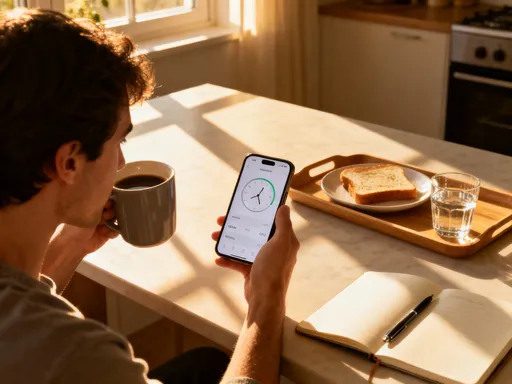
The biggest lesson I learned was this: no app works if you don’t use it. And the only way I stuck with it was by making tracking effortless. I didn’t rely on willpower. I built tiny habits that fit into my existing routines. For example, I linked starting the timer to my morning coffee. As soon as I poured my cup, I tapped the app. It became automatic—like brushing my teeth. If I forgot, I didn’t beat myself up. I just started the next day fresh.
Another habit I built was reviewing my day while making dinner. As I chopped vegetables or stirred a pot, I’d glance at the app and reflect: ‘What did I spend time on today? Did I protect my focus time? Did I make space for what matters?’ It wasn’t a formal review—just a quiet moment of awareness. Sometimes I’d notice I’d spent too much time on work and too little with my kids. Other days, I’d feel proud of how balanced I’d been. Either way, it kept me connected to my time without adding stress.
I also stopped aiming for perfection. Some days, I forgot to track. Some days, I worked in chunks without logging them. And that was okay. The goal wasn’t a flawless record—it was awareness. Over time, the app became less of a tool and more of a companion. It didn’t demand anything from me. It just showed up, quietly holding space for my day. And because it respected my rhythm, I respected it back. That’s when I knew it had become part of my life—not because I forced it, but because it made my life easier.
Sharing It With My Family: A Calmer Household
I didn’t set out to bring time tracking into my family life. But after a few months, I noticed something: my calm was contagious. When I stopped rushing, when I was more present, my kids responded. My daughter started saying, ‘Mom, you seem happier lately.’ My husband noticed I wasn’t checking my phone during dinner. I realized that managing my time wasn’t just about me—it was about creating a more peaceful home for all of us.
So I introduced the idea gently. I didn’t hand out timers or demand everyone track their day. Instead, I shared what I’d learned. I told my family, ‘I’ve been paying more attention to how I spend my time, and it’s helped me be more present with you.’ We started using a shared digital calendar—not for micromanaging, but for visibility. Now, when my son says, ‘Can we play a game tonight?’ I can check and say, ‘Yes, after my work block ends at 6:30,’ instead of guessing or overcommitting. It reduced friction and built trust.
We also created small family rituals around time. On Sunday evenings, we gather in the living room and talk about the week ahead. We don’t make strict schedules. We just share: ‘This week, I have a big project,’ or ‘I have soccer practice on Wednesdays.’ It’s not about control—it’s about awareness and connection. Even my eight-year-old daughter started using a simple timer for her homework, saying, ‘I want to focus for 20 minutes, then take a break.’ Watching her take charge of her time filled me with pride. The app didn’t just change my days—it helped create a calmer, more connected household.
The Bigger Picture: Time Tools as Self-Care
Looking back, I realize that time tracking became a form of self-respect. It wasn’t about squeezing more into my day. It was about honoring my energy, my attention, and my presence. Every time I pressed that start button, I was saying, ‘This moment matters.’ Whether I was working, playing with my kids, or just sitting quietly with a book, I was choosing to be there—not scattered, not distracted, but fully present.
There’s a quiet power in that. In a world that glorifies busyness, choosing awareness is an act of courage. It means admitting we’re not infinite. That we have limits. And that’s okay. In fact, it’s beautiful. The right technology doesn’t make us more machine-like. It helps us become more human—more intentional, more compassionate, more in tune with ourselves and the people we love.
This app didn’t transform my life overnight. But over time, it gave me something priceless: the feeling that my days are mine. Not perfect. Not perfectly productive. But mine. I make space for what matters. I protect my energy. I show up. And on the hard days, when everything feels like too much, I remember: I don’t have to do it all. I just have to be here, one mindful moment at a time. That’s the real gift of technology—not more efficiency, but more presence. And that’s a gift worth downloading.